
Download SAM - Steam Account Manager – Steam Account Manager, multi-account login, portable app, Steam account switcher, Steam login tool, Steam utility
Overview
Sam - Steam Account Manager is a lightweight Windows application crafted for gamers managing multiple Steam profiles. Its primary purpose is to streamline the process of switching between different Steam accounts, eliminating the need for repeated logins and manual session management. This utility is particularly valuable for users who share a gaming PC with friends or family, those who maintain separate accounts for different gaming preferences, or individuals involved in game testing, community moderation, or content creation. By centralizing account access, the app reduces friction in daily gaming workflows, allowing users to focus on gameplay rather than account navigation.
The tool operates as a portable application, meaning it does not require installation and can be run from any folder, including external drives. This makes it ideal for users who frequently switch between devices or use shared computers. Although the developer did not provide additional technical details, the app’s design emphasizes accessibility and minimal system footprint.
With a file size of just 10.2 MB, it is optimized for efficiency and quick startup. Its integration with Steam’s authentication system, including support for two-step verification, demonstrates a thoughtful approach to balancing convenience and security. In the broader productivity and gaming utility ecosystem, SAM fills a niche gap by offering a dedicated, no-frills solution for account management on Windows platforms.
Key Features & Functionality
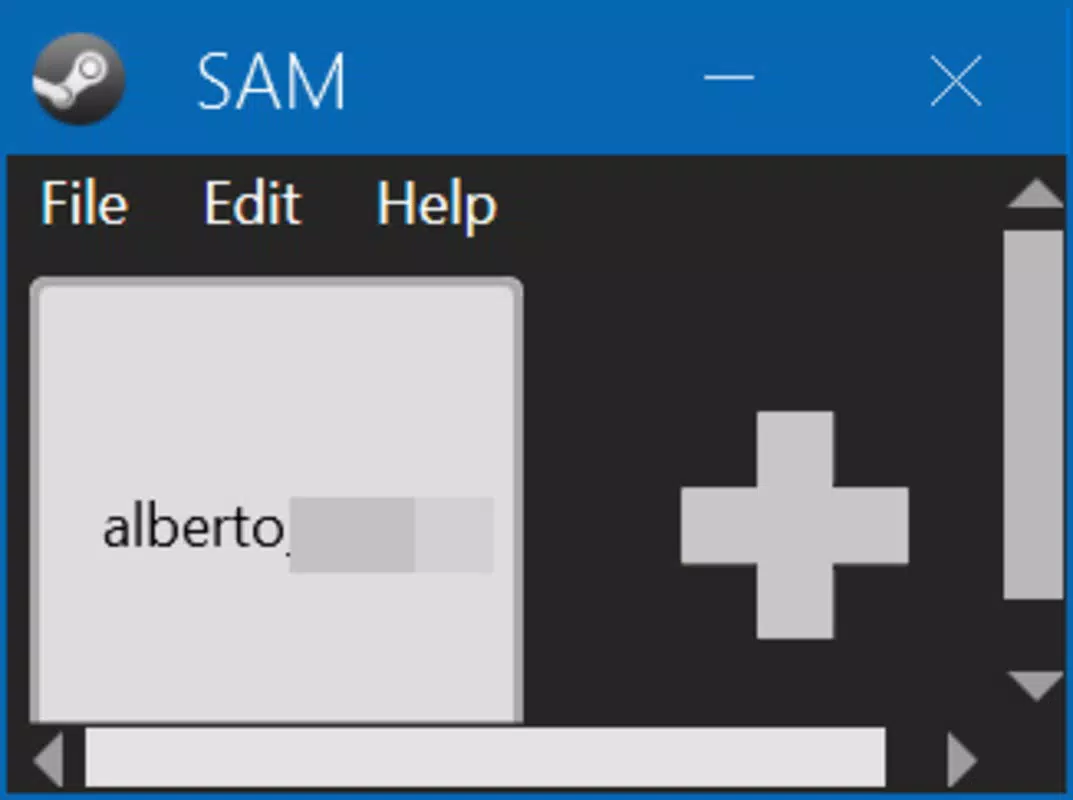
- Easy Account Switching: Users can switch between multiple Steam accounts with a single click on their profile name. This eliminates the need to manually enter login credentials or navigate through Steam’s interface repeatedly, significantly improving efficiency during multiplayer sessions or when managing multiple libraries.
- Portable Application Design: The app is fully portable, allowing users to copy it to any folder or external storage device. This feature is especially useful for gamers who use multiple computers or travel frequently with their gaming setups, ensuring consistent access to their accounts without installation overhead.
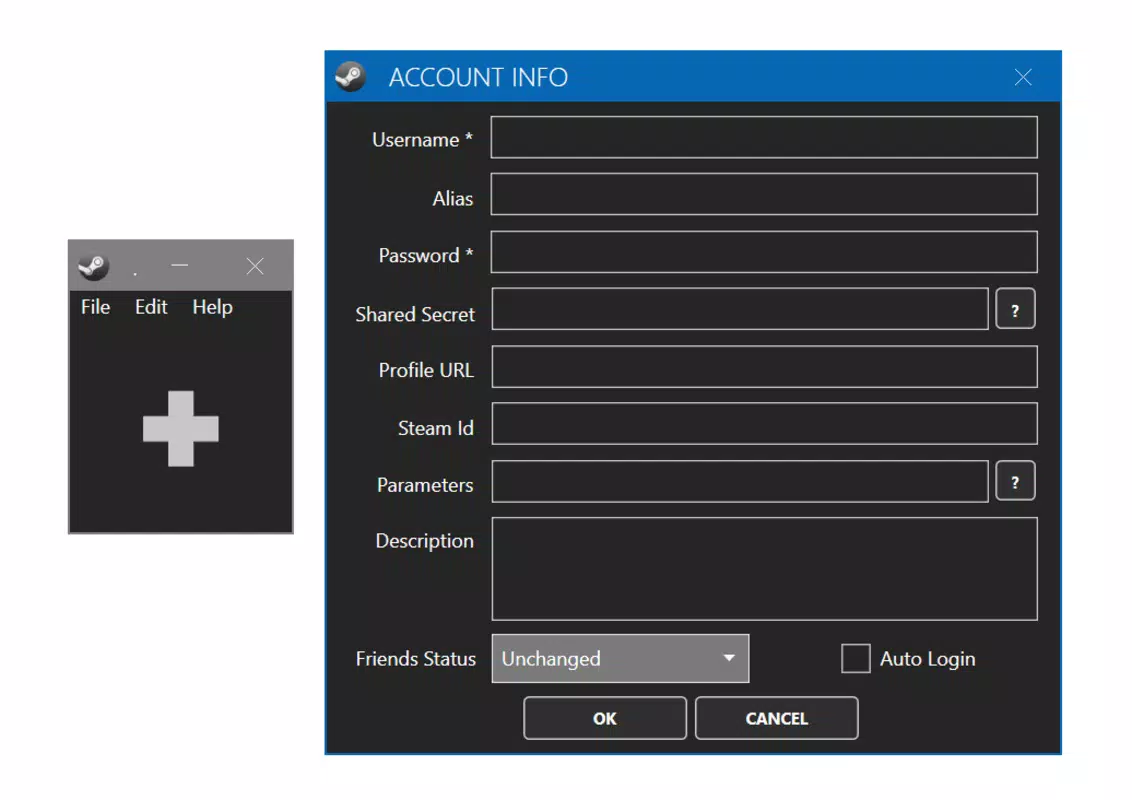
- Two-Step Verification Support: Even when two-step authentication is enabled, SAM can manage accounts seamlessly. By importing a .maFile containing the shared secret, the app automatically generates the required verification codes, maintaining security while enabling automated logins.
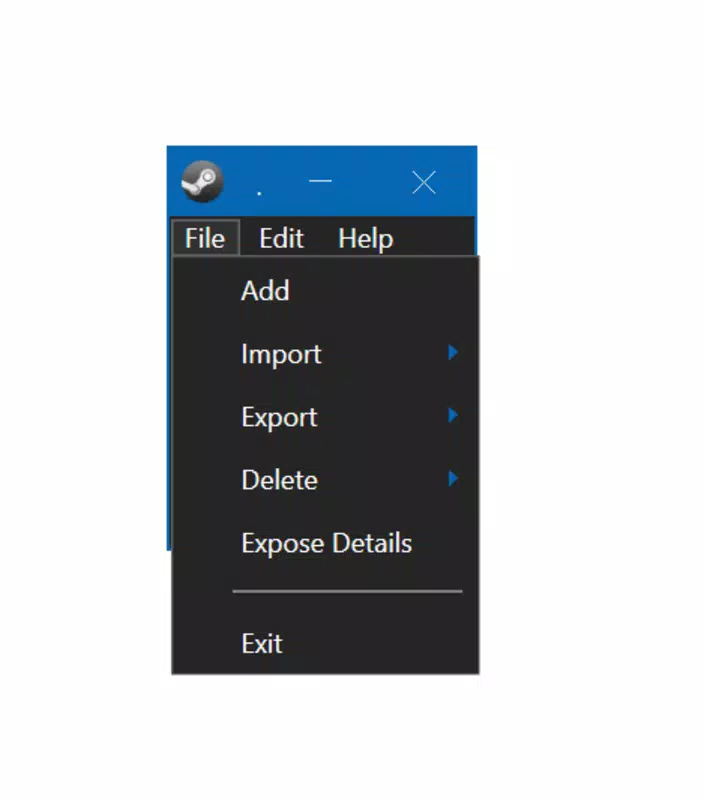
- Account Export/Import via .DAT Files: Users can back up their account configurations and transfer them across devices using encrypted .DAT files. This functionality enhances data portability and provides a safety net against accidental loss or system failure.
- Password Protection: The app includes an optional password lock feature to prevent unauthorized access. This adds a layer of privacy, especially when using shared or public computers, ensuring that personal gaming data remains secure.
Real-world use cases include a parent managing separate Steam accounts for their children, a streamer switching between personal and professional profiles, or a game tester using multiple accounts to evaluate different game versions. These features collectively position SAM as a practical, security-conscious tool tailored to the specific needs of multi-account Steam users.
Interface, UX & Performance
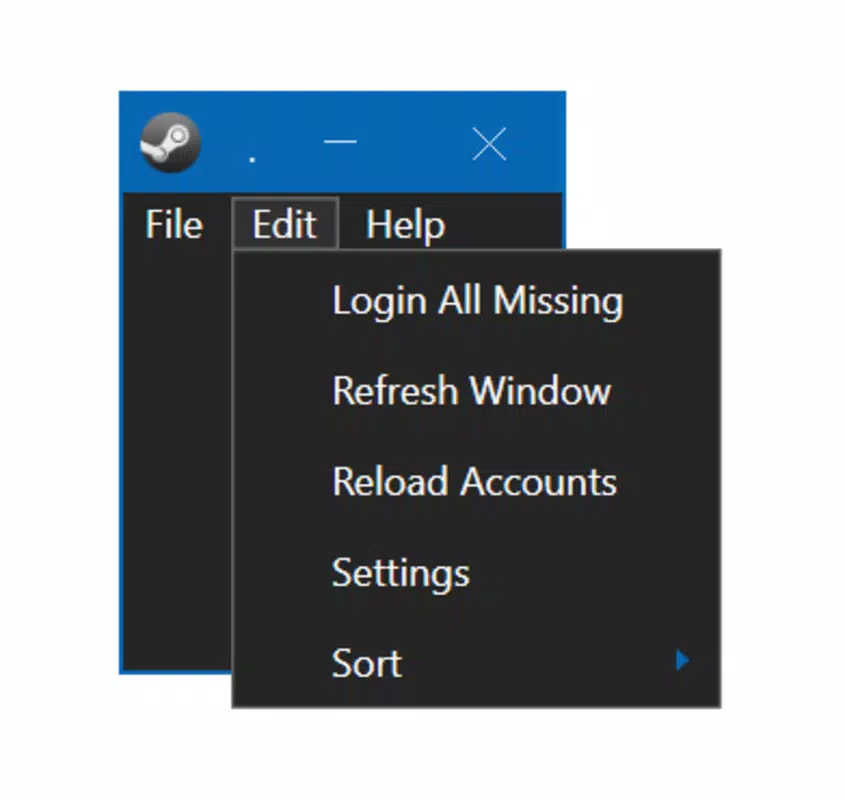
The user interface of SAM - Steam Account Manager is designed with simplicity and functionality in mind. It presents a clean, minimal layout where each Steam account is listed with its profile name and status. Navigation is intuitive: users simply click on a profile to initiate login, with the app handling the rest behind the scenes. The visual style is functional rather than flashy, focusing on usability over aesthetic polish, which aligns with its utility-driven purpose.
Although the developer did not list formal performance metrics, the app’s lightweight nature—only 10.2 MB in size—suggests efficient resource usage. It is expected to launch quickly and operate smoothly on most modern Windows systems. The app’s responsiveness is consistent with its design goals: minimal lag during account switching and fast authentication processing. Stability appears to be a priority, as the tool manages secure logins without reported crashes or login failures in public documentation.
Compatibility across different device categories is not explicitly detailed, but the app’s portable nature and low system requirements imply broad accessibility. It is likely to perform well on both entry-level and high-end machines. The absence of background processes or unnecessary services further contributes to its lightweight footprint. Overall, the user experience is streamlined and purpose-built, making it suitable for users who value speed, simplicity, and reliability in their gaming tools.
Platform Compatibility & Technical Requirements
SAM - Steam Account Manager is designed exclusively for the Windows operating system. The current version is 2.0.1, released on May 23, 2025. The application has a file size of 10.2 MB, which reflects its compact and efficient design. As a portable app, it does not require installation, allowing users to run it directly from any folder or storage device.
The developer did not specify minimum OS requirements or compatibility details beyond the platform. Therefore, it is recommended to test the app on target systems to ensure proper functionality. While no explicit support for macOS or Linux is mentioned, the app is confirmed to work on Windows environments. Users should ensure their system meets general Windows compatibility standards, though no specific hardware or software prerequisites were listed. The absence of installation requirements simplifies deployment across different Windows setups, including older or less powerful machines.
Pros and Cons
- Lightweight and fast-loading application (10.2 MB)
- Portable—no installation required, runs from any folder
- Supports two-step verification with .maFile integration
- Allows secure export and import of account data via .DAT files
- Includes password protection for enhanced privacy
- Simple, intuitive interface ideal for non-technical users
- Not available for macOS or Linux platforms
- No official update notifications or changelog visibility
- Developer did not provide detailed technical specifications
- Only supports Windows-based systems
- Relies on user-managed .maFile and .DAT file handling
FAQ
Is SAM - Steam Account Manager safe to use?
The app is designed to work securely with Steam’s authentication system. It uses encrypted .DAT files for account data and supports two-step verification. However, users should only download the app from trusted sources to ensure integrity.
Can I use SAM on multiple computers?
Yes, since SAM is a portable application, you can copy it to any computer or external drive and run it directly without installation.
Does SAM require an internet connection?
Yes, an active internet connection is required to authenticate with Steam and log in to accounts. The app itself does not require constant connectivity beyond initial login.
How do I add a Steam account with two-step verification?
You need to add the .maFile containing the shared secret from your Steam account settings. The app will use this file to generate verification codes automatically.
Can I transfer my accounts to another device?
Yes, you can export your account data as a .DAT file and import it on another computer. This feature enables easy migration and backup of your Steam account configurations.
Final Thoughts
SAM - Steam Account Manager delivers a focused, efficient solution for gamers managing multiple Steam profiles on Windows. Its combination of portability, security features, and seamless login automation makes it a standout tool in the productivity and gaming utility space. While it is limited to Windows and lacks cross-platform availability, its lightweight design and robust functionality justify its use for dedicated users. The app is especially beneficial for families, content creators, testers, and anyone who frequently switches between accounts. With a free price point and no installation needed, it offers strong value for its intended audience.
For those seeking a reliable, no-frills way to manage Steam accounts without the hassle of repeated logins, SAM is a practical and secure choice. Its thoughtful design and attention to privacy make it a trusted companion in the gaming workflow.
Download SAM - Steam Account Manager now


